Alpha Preclinical project

Design system

The tokens, type and components behind the site, the WordPress theme and the brand book.

Principles

Alpha Preclinical LLC is a preclinical in vivo contract research organization (CRO) at 722 Plantation Street, Worcester, Massachusetts, founded in 2020. Its clients are biotech and pharma scientists who need PK/PD, efficacy and proof-of-concept studies run carefully, quickly and at a fair cost. The website's one job is to make a scientist trust Alpha enough to request a study quote.

This is the client-approved system (November 2026 revision, main of CptNope/Alpha-Preclinical). It keeps the brand's existing colours and logo exactly, because they are on the building signage, and gives them a sharper, more confident web presence. It is the reference for the production WordPress FSE block theme.

Hard constraint: never change the brand colours or the logo. Every blue in this system was sampled from the logo and the signage.

The idea: strata

The alpha in the logo is filled with stacked bands of blue, from deep abyss to pale shallows. That layering is the brand's one signature shape. On the web it becomes strata: flowing wave bands in the brand blues.

  • Homepage hero: the logo's own alpha, traced and enlarged (HeroAlpha). Five strata bands rise into it on arrival, drift, and fill it further as the visitor scrolls. Full-height drifting waves run along the foot of the hero.
  • Every inner page: a shorter drifting band at the foot of the header (StrataBand), and a thin one under blog post headers. Each carries a Pause animation button.
  • Between sections: the motif shrinks to a single 1.5px current contour line (ContourDivider), or contour lines framing a CTA band.
  • Photos may take one wave-cut edge (bottom or right), never more than one per section.
  • No gradients, glows or purple. Depth comes from flat bands overlapping, the way the logo does it.

The site matches the sign visitors see at the entrance.

Colour

Use colours by role, not by taste. Every text pair meets WCAG AA.

SwatchTokenHexUse
navy#1F2858Brand ink, the wordmark colour. Headings and body text on paper and mist (14:1). In dark theme it flips to near-white.
abyss#0F3360Deepest wave band and the dark surface: hero, page headers, CTA bands, deep area sections. Text on it is white, shallows or ink-on-abyss only.
abyss-deep#0B2747Footer ground only, one step below abyss so the footer reads as the floor of the page. Text: white and ink-on-abyss.
tide#1E58A0Primary action colour: buttons, links, the fifth strata band. Text on it uses paper (7.1:1 light, 6.6:1 dark).
strata-4#3279BDFourth strata band, between tide and current. Used only inside the homepage alpha. Never text.
current#4B98D2Middle wave band, contour lines, the focus ring, icons. Never body text on paper (3.1:1).
strata-2#69AEE1Second strata band, between current and shallows. Used only inside the homepage alpha. Never text.
shallows#88C6EELightest wave band. Accent text, current-page nav and the light button on abyss (6.8:1).
mist#EEF5FBQuiet alternate section ground, table stripes, the 'Led by' chip on paper, hover fill on list rows.
paper#FFFFFFPage background and the text colour on tide buttons.
ink-muted#4A5878Secondary text, captions, author lists, metadata on paper and mist (7.1:1).
ink-on-abyss#B9CCE3Secondary text on abyss and abyss-deep (7.7:1).
line#D3E0EEHairlines, list dividers, filter-chip and FAQ-icon borders. Decorative only: not a control boundary.
field-border#7D8FAEForm input, select and textarea borders at rest (3.3:1 on paper, meets the 3:1 control-boundary rule).
error#B3261EForm validation only: invalid field border and its message. Never decorative.
white#FFFFFFText and logo on abyss, abyss-deep and tide.

Type

Bricolage Grotesque 600 for headings, Figtree 400–600 for everything else. Both are self-hosted woff2 files.

display-xl 76px / 0.98 · 600

Tailored in vivo research

Homepage hero H1 only (fluid 40-84px on the site).

display-l 52px / 1.04 · 600

Six therapeutic areas

Section headings (H2); inner-page H1.

heading-m 34px / 1.12 · 600

Metabolic disease

Area and service headings on mobile; model rows (30px).

heading-s 23px / 1.25 · 600

What species do you work with?

Card titles, paper titles (21-22px), FAQ questions (21px).

lead 20px / 1.55 · 400

PK/PD, efficacy and proof-of-concept studies, run by published scientists.

Intro paragraph under an H1 or section heading.

body 17px / 1.6 · 400

We run them primarily in rodents, with capacity for most common laboratory species.

All running text and form inputs.

small 14px / 1.5 · 500

Led by Barak Yahalom, DVM

Metadata, captions, 'Led by' labels, footer base.

button 16px / 1 · 600

Request a study quote

Buttons and the nav (nav at 16px/500).

Spacing, radius and shadow

  • space-1 8px · Icon-to-label gap.
  • space-2 16px · Mobile gutter; gap inside lists.
  • space-3 24px · Paragraph and block gap.
  • space-4 40px · Desktop gutter; gap between columns.
  • space-5 72px · Gap between a heading column and its content; mobile section padding.
  • space-6 128px · Vertical section padding on desktop (area sections use 120px).
  • radius-s 6px · Inputs, the skip link, photo labels.
  • radius-m 14px · Photos, panels, team faces, the 'Led by' chip, dropdown panels.
  • radius-pill 999px · Buttons, filter chips, the motion toggle, icon circles. The only pill shape in the system.
  • shadow-lift · Header once scrolled; card hover lift. Pointer devices only.
  • shadow-menu · Open dropdown panels only. Floating menus are the one place a heavier shadow is used.

Components

Live examples with their guidelines. The WordPress theme implements each as a block or block style.

Button

Pill buttons for the one action that matters in a view; the label says what happens next.

  • Primary (ap-btn ap-btn-primary): tide with paper text, hover navy. Use on paper and mist. One per view.
  • Light (ap-btn-light): shallows with abyss text, hover white. The primary action on abyss (hero, CTA band, deep sections).
  • Ghost dark (ap-btn-ghost-dark): the secondary action on abyss, a 1.5px inset ink-on-abyss ring.
  • Small (ap-btn-sm, 44px): only inside dropdown panels ("All expertise") and dense rows.

Height 52px (44px small), radius-pill, Figtree 600 16px. Labels are specific: "Request a study quote", "Plan your PK/PD study", "Talk to a scientist". Every study CTA links to contact.html?study=<type>#form so the form opens with the study type chosen. The consumer provides the href and label.

CTABand

Have a study in mind?

Tell us the model and endpoints. A scientist will reply within one business day with a plan and a quote.

The closing band on every page: an abyss field, centred heading, one sentence and the quote button, framed by contour lines.

  • The only centred text in the system. Heading Bricolage 600, 38-64px, max 21ch; the sentence in ink-on-abyss 19px.
  • Primary: ap-btn-light; optional secondary: ap-btn-ghost-dark.
  • Contour lines in shallows at 35% draw in when the band arrives.
  • Wording varies by page ("Put this team on your program", "Want the authors on your study?") but always leads to the contact form. The reply-time promise in the example is placeholder copy: use only what Alpha confirms.

ContourDivider

End of the expertise section.

Start of the services section.

A single 1.5px current wave line: the strata reduced to one contour, used to separate sections without a box or rule.

28px tall, full width, aria-hidden. With motion on it draws left to right as the section arrives (2.4s) and rewinds when it leaves. Use sparingly: alternating mist and paper grounds already separate most sections.

FAQItem

Primarily mice and rats, with capacity for most common laboratory species.

An accordion question: Bricolage 21px question with a round chevron icon; the answer eases open beneath it.

  • Button inside the heading, aria-expanded plus aria-controls; the answer uses hidden.
  • Icon: 36px circle with a 1.5px line border; when open it turns abyss with a white chevron and rotates 180°.
  • Answers in ink-muted. The FAQ also emits FAQPage schema on the homepage.
  • Example answers are placeholders.

FilterChip

Pill toggles that filter the Publications, Blog and Careers lists; the pressed chip fills with abyss.

48px tall, radius-pill, 1.5px line border on paper, hover tide. State is aria-pressed. A count in <small> is optional. Pair the list with a role="status" live region that announces the result count (WCAG 4.1.3).

FormField

Enter a full email address, like name@company.com.

Label above a 52px input, select or textarea, as used on the quote and careers forms.

  • Label: Figtree 600 15px; "(optional)" in ink-muted 500.
  • Input: radius-s, 1.5px field-border (3.3:1, a real control boundary), hover current, focus tide border plus a 3px current glow at 35%.
  • Error: aria-invalid="true" turns the border error, and an ap-err message linked by aria-describedby says how to fix it.
  • Two columns on desktop, one on phones. The study type <select> is preset from ?study= in the URL.

HeroAlpha

The homepage "wow": the alpha from the logo, traced and enlarged, with five strata bands rising into it and drifting.

  • Lives only in the homepage hero, right column (max 400px wide), on abyss.
  • Fill: mist ground, then five bands from top to bottom shallows, strata-2, current, strata-4, tide; a 0.6 shallows hairline at 70% traces the edge.
  • Motion: the bands rise 78px into the letter on arrival (2.8s), drift sideways at different speeds, and fill further as the visitor scrolls. Paused by the hero's Pause button and frozen under reduced motion.
  • The shape is the logo's own alpha (assets/Logos/alpha-strata.svg): never redraw, recolour outside these tokens, or stretch it.

LeadChip

"Led by" names the scientist behind every expertise area and service, linking to their Team profile. It is the site's main E-E-A-T signal.

  • mist chip on paper, paper chip on mist, white at 8% on abyss; radius-m.
  • 52px round headshot (crop at 50% 18% so faces sit high); two leads overlap by 14px with a 2px ring in the ground colour.
  • Label "Led by" in small ink-muted; name in Figtree 600 16px navy, hover tide.
  • Name only people confirmed as the lead.

ModelRow

A typographic list row for expertise areas and models: name, one line of specifics, and an arrow action. Lists of things are rows, not grids of identical cards.

  • Three columns (name 4fr, description 6fr, action 150px), collapsing to one on phones.
  • 1.5px line rules between rows. Hover fills the row mist and eases the padding in 16px (pointer devices only).
  • Name in Bricolage 600 30px; description ink-muted 16px; action tide 600 with arrow.
  • Name the actual models and assays in the description, not adjectives.

NavDropdown

The header: white logo, six links in buyer order, and the quote button. Expertise, Services and About open dropdown panels.

  • Order: Expertise ▾ · Services ▾ · Publications · About ▾ · Blog · Contact, then "Request a study quote" (ap-btn-light) on every page.
  • Links: Figtree 500 16px white on abyss; an underline grows on hover and marks the current page; the current section turns shallows.
  • Panels: white, radius-m, shadow-menu (the one heavier shadow). Each item is a Bricolage 18px name plus a one-line note. Expertise and Services use a wide three-column panel with an intro, "All..." button and a photo link.
  • A mouse opens a panel on hover. The chevron button opens it for keyboard and touch (aria-expanded); Escape closes it and returns focus to the button.
  • Below 1080px the header becomes a full-screen abyss menu where each section expands in place.

PublicationItem

One paper in the Publications list: linked title, authors with Alpha scientists in bold, an NLM-style citation, then the links.

  • Title Bricolage 600 21px navy, hover tide underlined. Title and Read PDF open the paper.
  • Authors ink-muted 15px; Alpha authors <b> in navy.
  • Citation: Journal (italic 600). Year Mon;Vol(Issue):pages. Epub date.
  • Links: Read PDF, PubMed, Free full text (PubMed Central, where one exists), then DOI / PMID / PMCID. Each item also emits ScholarlyArticle schema.
  • Example: the 2019 Molecular Therapy Fabry paper, one of the 16 on the site.

StrataBand

Expertise

Six therapeutic areas, one team.

The signature: wave bands in the brand blues, drifting slowly at the foot of every page header.

  • Inner pages: a 110px band of four waves (tide, current, shallows, then paper so it melts into the page). Blog posts carry a thinner one under the header. The homepage hero uses the full-height version with five bands and the HeroAlpha.
  • Each wave is a repeating path twice the viewport wide that slides left at its own speed (30-46s, alternate directions), so the layers drift against each other.
  • Always ship the Pause animation button (WCAG 2.2.2). Under prefers-reduced-motion the waves start paused; with JavaScript off they rest still.
  • Flat fills only: no gradients, glows or purple. Depth comes from bands overlapping, as in the logo.

TeamMember

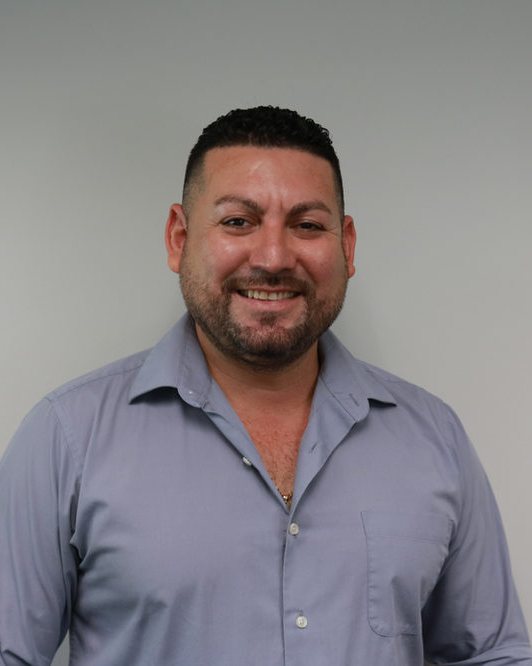
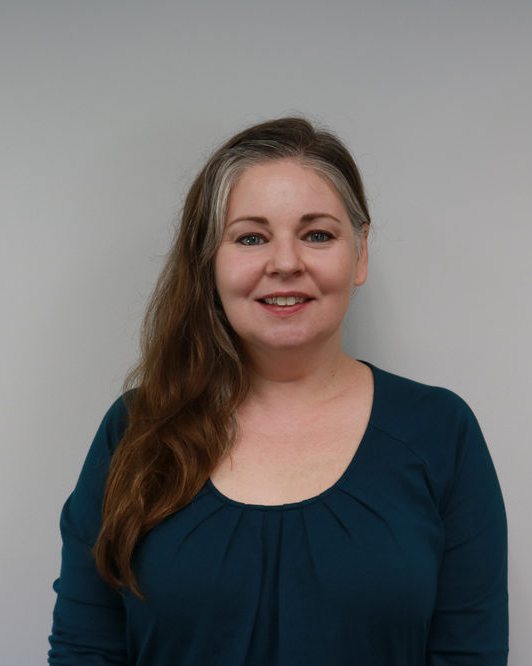
A team card: 4:5 portrait in radius-m, name in the display face, role underneath. Links to the person's profile.

  • Real photos only, of the real team. On the Team page a second photo swaps in on hover.
  • Name Bricolage 600 18-20px, hover tide; role ink-muted 14px.
  • Photo zooms 3% on hover (pointer devices only).
  • Titles for Cindy, Gil and Ashley are pending client confirmation.

Files

  • design/design-system/tokens.json: every token, with a usage note
  • design/design-system/README.md: the brand book text this page is built from
  • design/design-system/components/: one folder per component (preview + guidelines), plus components.css
  • design/design-system/fonts/: Bricolage Grotesque 600 and Figtree 400, 400 italic, 500, 600 (woff2)
  • wordpress/alpha-preclinical/theme.json: the same tokens as WordPress presets